Description
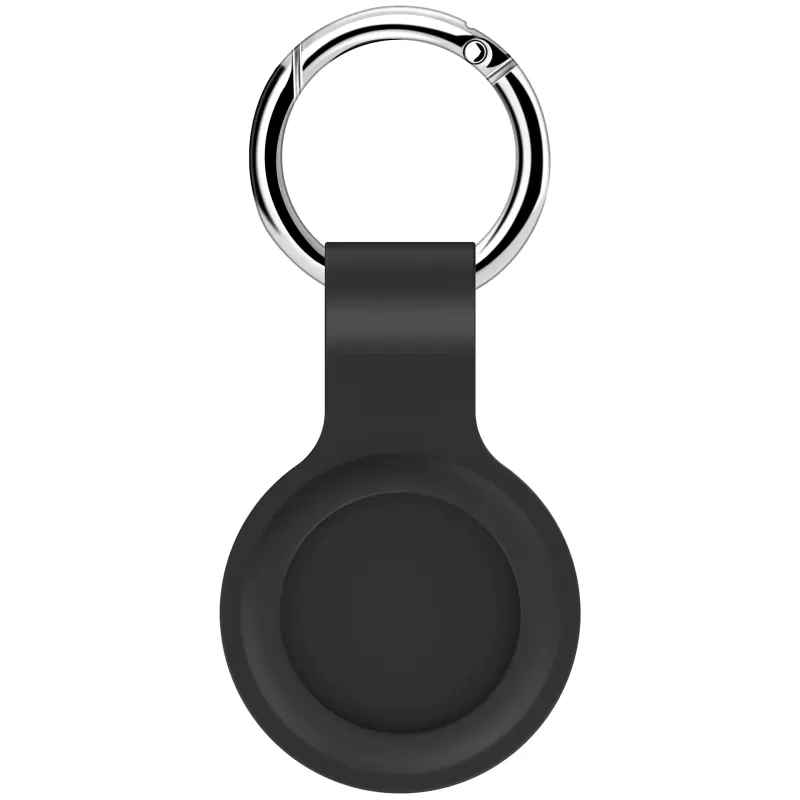
Key Tag Tracker – Smart Bluetooth Item Locator Never lose your keys, bag, wallet, or valuables again. The Key Tag Tracker connects seamlessly to Apple’s Find My network, giving you real-time tracking, sound alerts, and Lost Mode protection—anywhere in the world. Quick Start Instructions
1. Power On Pull out the battery insulation tab. The tracker will chime, indicating it is powered on. 2. Pairing With Your iPhone or iPad Open the Find My app. Tap Items → + → Add Other Item. Hold the tracker close to your device. Tap Connect. Choose a name and emoji for your tracker. Tap Agree to link it to your Apple ID. Tap Finish to complete setup. 3. Enable Lost Mode (Optional) Open Find My → Items → select your tracker. Under Lost Mode, tap Enable. Enter your contact details and custom message. Tap Activate. 4. Removing the Device Open Find My → Items → select the tracker → Remove Item → confirm. After removing, you have 3 minutes to re-pair. If it times out, remove and reinsert the battery to hear the chime—then pair again. Main Functions
Locate Your Item
If your item isn’t nearby, the Find My network can still locate it using millions of Apple devices worldwide. Your privacy is fully protected with encrypted and anonymous location relays. Play Sound Open Find My → Items → select your tracker → Play Sound. The tracker will beep loudly (≥75 dB) to help you find it fast. How to Use Pull out the battery insulation sheet. Ensure the tracker powers on (chime). Open Find My and add a new item. Register, choose an emoji, and finish setup. Product Specifications Model: ATag/Y21 Battery: CR2025 Voltage: DC 3V Wireless: Bluetooth 5.2 System Compatibility: iOS / Apple Find My network Buzzer: ≥75 dB (at 10 cm) Humidity Range: ≤95% (non-condensing) Safety & Usage Notes
General Use Keep the device dry and away from extreme temperatures. Do not expose to moisture. Clean with a soft, dry cloth only. Power Precautions Unplug the device (if powered) during thunderstorms or long periods of non-use. Return Reminder
If returning the product, always remove the device from your Apple ID in the Find My app to protect your privacy. Frequently Asked Questions
Q: Can this tracker be used outdoors?
A: Yes—because it uses Bluetooth and Apple’s Find My network, it can be used indoors or outdoors. Avoid exposing it to water or extreme temperatures. Q: How do I reset the tracker?
A: Remove the battery, wait a few seconds, and reinsert it. When you hear the chime, it’s ready to pair again. FCC Compliance Statement
This device complies with Part 15 of the FCC Rules. Operation is subject to the following conditions: This device may not cause harmful interference. This device must accept any interference received. (Full FCC statement included for regulatory compliance.)